How and why build a Contribution Journey for your Design system?

Are you working within a large group and have been put on a Design system project? Are you overwhelmed? Do you have to handle the constant requests from your team? Don't know where to turn? Having trouble keeping up with the Design system changes? And your colleagues too?
Result: Too many meetings, not enough transparency, and a bonus migraine…
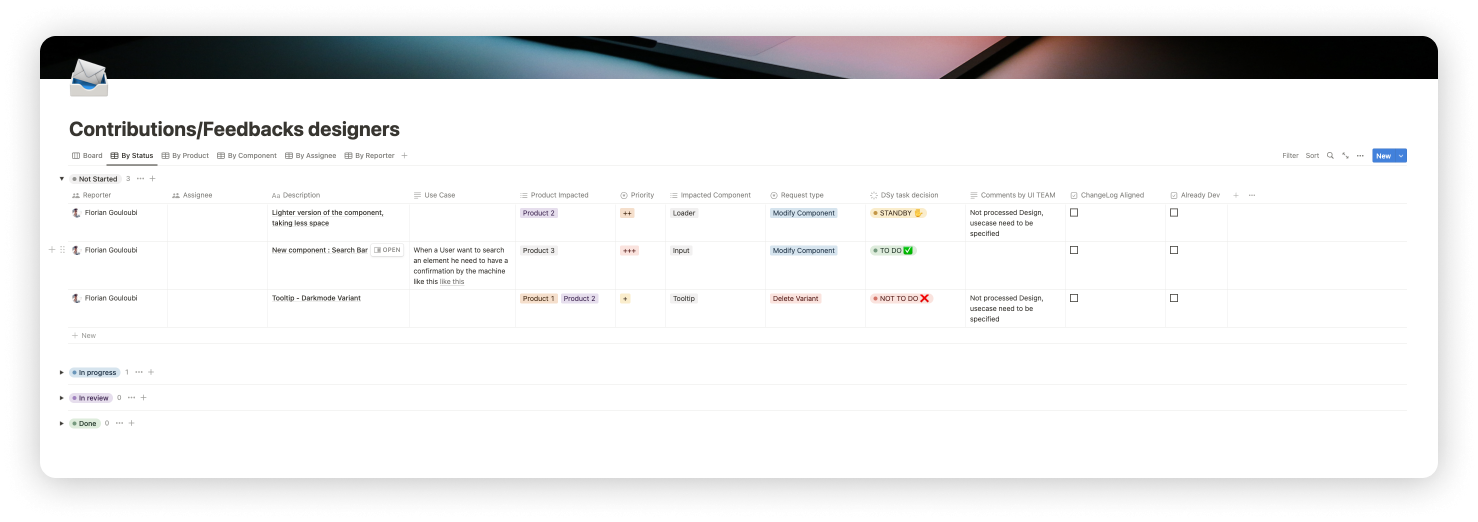
Oh great! But uh what does a Contribution journey look like? And how do we use it? Well Jamie, it's very simple, during my experience as a UI Designer I built a Notion board to solve this Contribution journey problem. This now allows the company to collect the needs of all its Product Designers and to classify them into different categories.
...
I.Template Construction
The Notion table can be organized as follows:
...
II.Choose the views that correspond to you
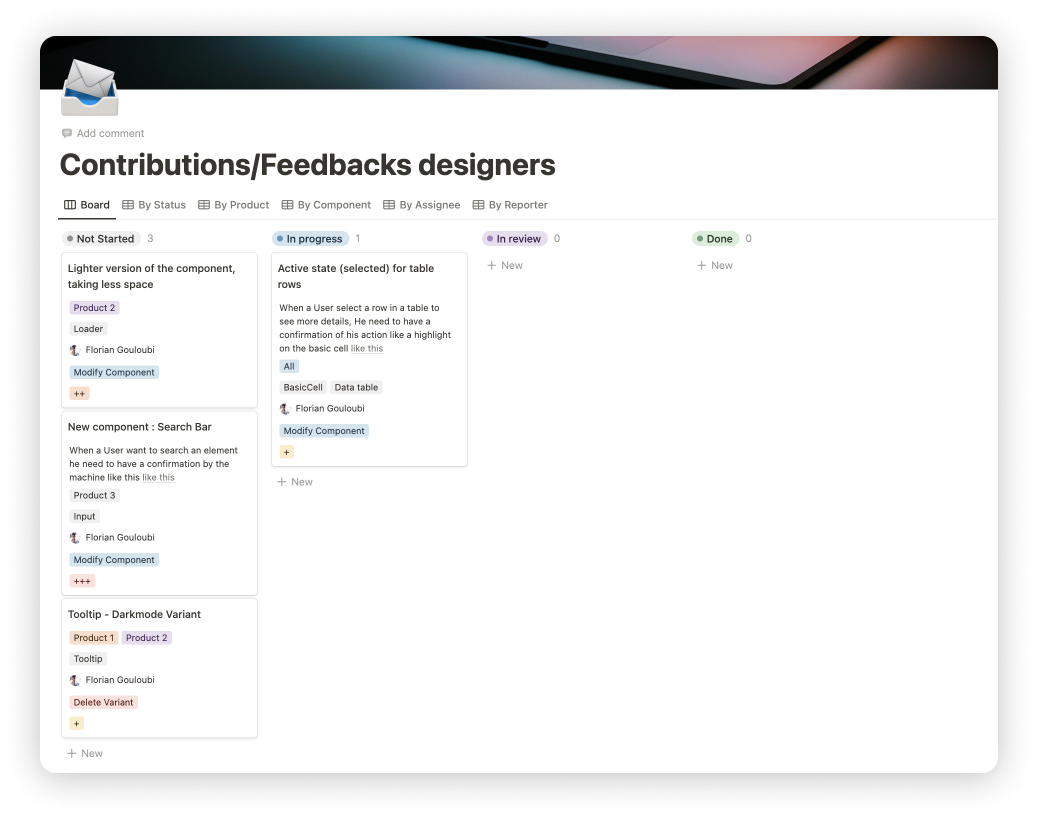
To facilitate collaboration and navigation in this table, feel free to add filters:
But that's not all! You will also be able to use a Figma file called "Contribution Sandbox" to collaboratively work on new components to integrate into the Design system.
...
III.The Contribution Sandbox file on Figma
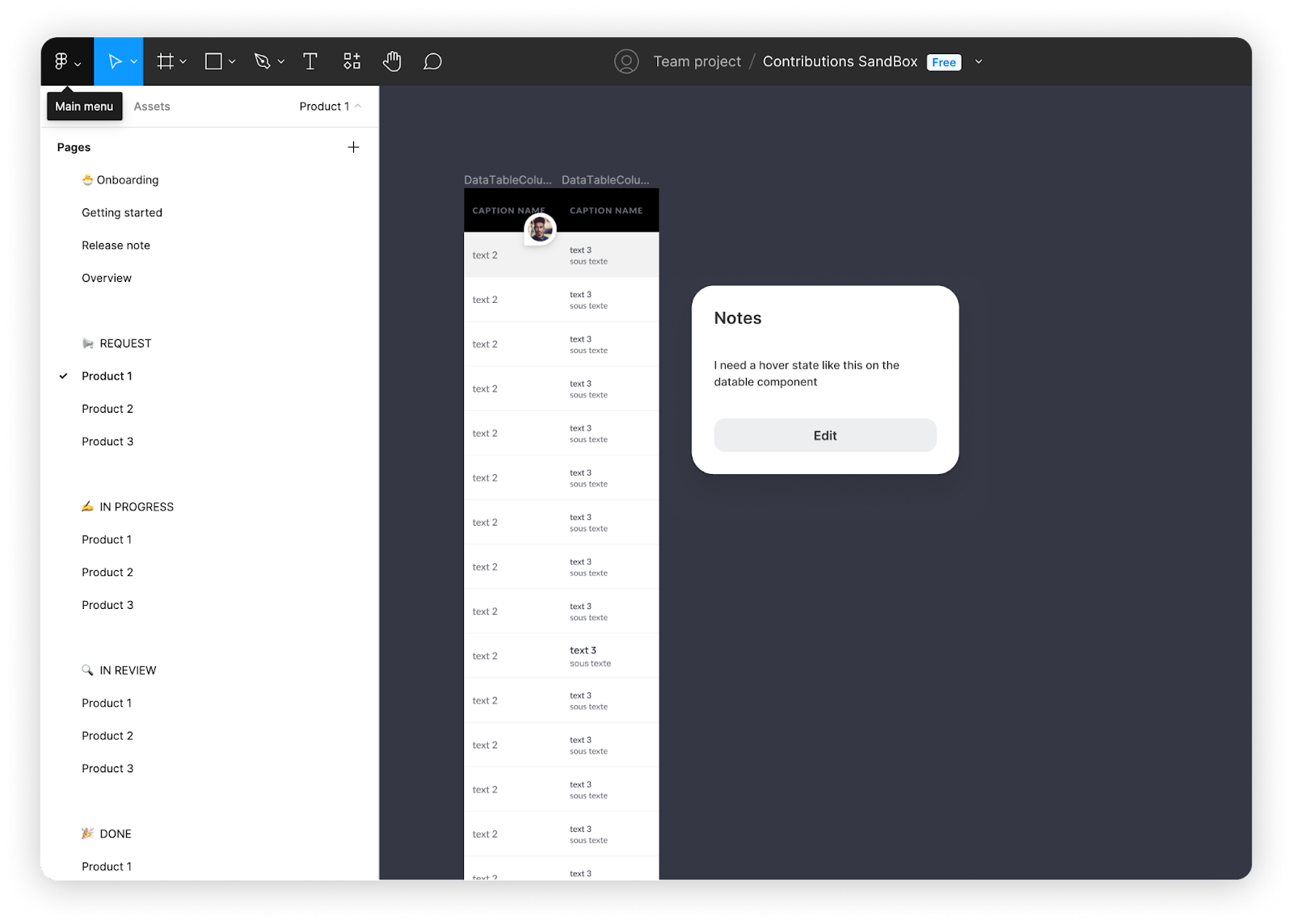
This file includes several pages distributed in various sections:
The more observant among you will have noticed that the request, in progress, done and old sections each have 3 sub-pages. This is because they should have as many sub-pages as you have products linked to your Design system. In this example, I limited myself to 3 products but feel free to modify the file according to your needs.
...
IV. Conclusion: migraines are over!

By using this contribution journey template on Notion and our "Contribution Sandbox" Figma file, you will be able to improve the management of your Product Designers' requests and ensure that all new components that are added to the Design system comply with your company's standards. This will allow you to work more efficiently and focus on the tasks that have the most impact on your team.
You will only have to customize the columns according to your needs and invite your colleagues to participate. I hope that these two templates will help you save time and avoid a few headaches!